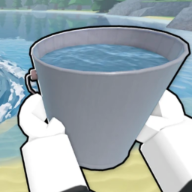
🪣 Core loop
Drain the Lake beginner walkthrough — buckets, upgrades, and Gems
See the full Drain the Lake loop: fill at the lake, drain for Tokens, spend at the Upgrade Computer, and save Gems for better buckets.
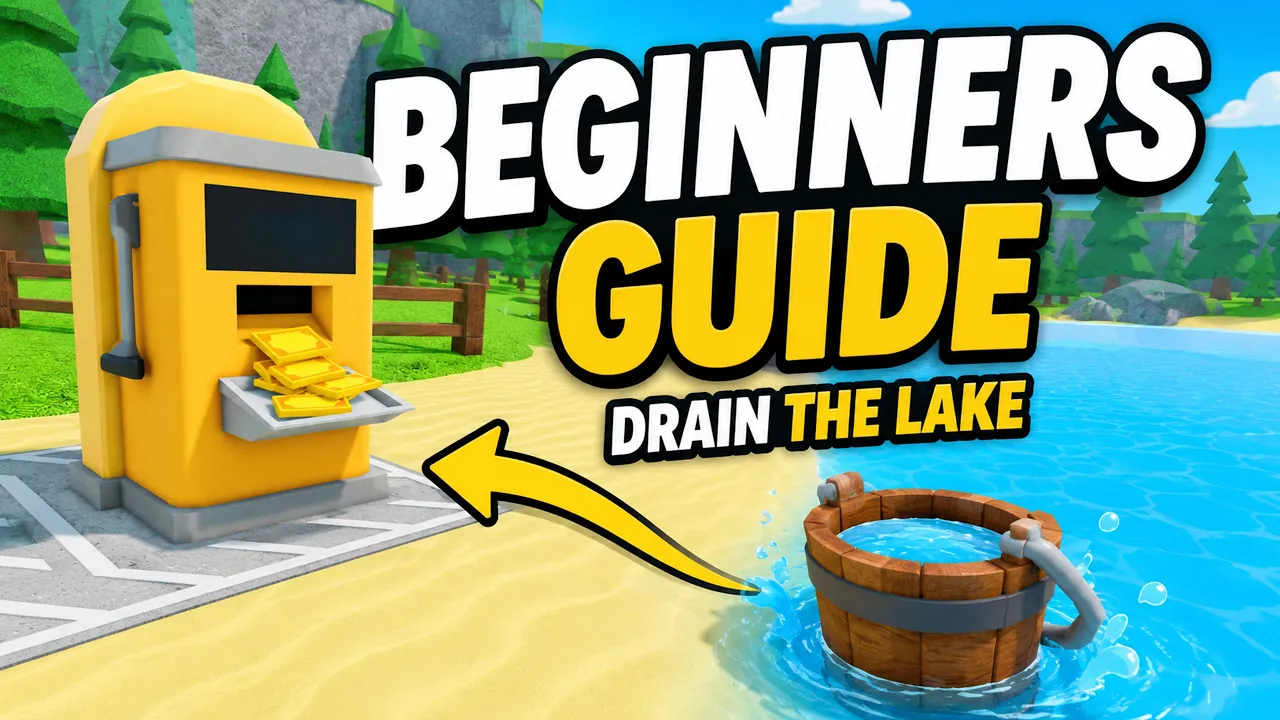
🪣 Core loop
See the full Drain the Lake loop: fill at the lake, drain for Tokens, spend at the Upgrade Computer, and save Gems for better buckets.
Drain the Lake is an incremental lake-draining simulator on Roblox by IWTM10GTMPLS. Fill your bucket, drain it for tokens, upgrade your Skill Tree, go deeper, and find your phone.
Your phone fell into the lake — instead of diving straight down, you scoop water with a bucket, pour it at the drain station, and spend Tokens on the skill tree until the lake is low enough to reach the bottom.
This Drain the Lake beginner guide is for players searching how to play Drain the Lake Roblox during the launch window. The verified loop is fill → drain → upgrade → go deeper — not idle clickers or unrelated drainage puzzle games.
Drain the Lake runs on public Roblox servers with up to 12 players per session. You can drain alongside friends, but each run still follows the same personal upgrade path.
Open the official experience from Drain the Lake on Roblox and confirm the developer name matches IWTM10GTMPLS before spending time or Robux.
| System | Role in Drain the Lake | Priority |
|---|---|---|
| Fill & drain loop | Earn Tokens each trip | S |
| Skill tree | Speed, capacity, depth | S |
| Gems | Permanent bucket unlocks | A |
| Badges | Gem payouts in lobby | A |
| Checkpoints | Respawn closer when deep | B |
When you load into Drain the Lake, spawn near the lake with a default Wooden Bucket. Equip it, aim your cursor on the water surface, and hold or click to fill — the bucket only collects when your aim is actually on the lake.
Walk to the drain station and interact to pour. That payout grants Tokens, the currency you spend during the current run at the Upgrade Computer.
If nothing fills, you are probably aiming at land or an empty patch. Step closer or angle your cursor until ripples appear. This fixes most "bucket not working" reports in early Drain the Lake Roblox sessions.
On PC you can press F to teleport between the lake and drain once that shortcut unlocks, which shortens trips after your first upgrades. Mobile and console players use on-screen buttons instead — see the controls reference for platform-specific inputs.
Complete one full cycle before buying expensive nodes. You need a baseline feel for whether walking or filling is the slower step in your personal Drain the Lake loop.
The Drain the Lake core loop is intentionally simple: lake → bucket → drain → Tokens → skill tree → repeat. Each cycle removes a slice of water and makes the next cycle slightly faster once upgrades kick in.
Tokens exist only for the active run. When you return to the lobby or start a fresh match, Token progress resets — plan purchases for immediate impact, not long-term banking.
Gems behave differently. You earn them from chests while draining and from badge rewards claimed at the lobby Badges station. Gems persist after a run ends, which makes them the long-term currency for better buckets.
Think of Drain the Lake Roblox as alternating between a fast Token sprint inside a run and a slower Gem investment between runs. Skipping either side stalls depth progress.
Chests spawn as you lower the water line. Opening them during a run feeds Gem income that unlocks Metal Bucket tiers and eventually the Ancient Bucket milestone — covered in the buckets guide and badges page.
| Currency | Earned from | Resets each run? | Best use |
|---|---|---|---|
| Tokens | Draining filled buckets | Yes | Skill tree nodes |
| Gems | Chests & badge claims | No | Bucket shop & passives |
Matched by build plan, shared topics, and guide progression — not random related links.
Most Drain the Lake beginner guide routes recommend Character movement speed first on the skill tree. Faster walking means more fill-drain cycles per minute, which compounds every other upgrade.
If your bucket sits full while you wait, shift one purchase into Bucket fill speed or capacity before stacking more movement. The goal is to fix whichever step eats the most seconds in your loop.
Reward multiplier nodes on the Reward branch pay off once routes are memorized. Buying them too early — before movement and fill feel smooth — often slows overall Drain the Lake progress.
Depth nodes unlock deeper lake layers with new checkpoints and hazards. Push depth only after Token income feels stable; rushing down with a weak setup forces long walks back to shallow water.
For a full priority list with mid-game pivots, read the dedicated best upgrades guide and skill tree breakdown.
| Branch | Focus | Tier |
|---|---|---|
| Character | Movement speed between lake and drain | S |
| Bucket | Fill speed & water capacity | S |
| Reward | Token income per drain | S |
| Quick Drain | Pour speed at the drain station | A |
| Gems | Bonus Gems from chest drops | B |
| Depth | Unlock deeper lake layers | A |
Your bucket defines capacity and passive bonuses. The Wooden Bucket is free; stronger tiers cost Gems in the lobby shop or unlock through badge milestones.
Each Drain the Lake bucket passive changes how quickly you clear water. Buying a new bucket after a solid Gem run helps the next attempt reach deeper checkpoints with the same skill tree plan.
Badges are achievement milestones — drain counts, checkpoint reaches, shark encounters, and the final Find My Phone ending. Claim Gem rewards at the Badges station in the lobby; do not assume they auto-apply.
Collecting 10 badges unlocks the Ancient Bucket reward in the lobby, a major power spike for late Drain the Lake Roblox runs. Track progress on the badges list page.
Drain the Lake currently lists 18 badges with Gem payouts ranging from small early milestones to 150 Gems for long-term drain goals.
| Bucket | Tier | How to unlock |
|---|---|---|
| Wooden Bucket | Starter | Default |
| Metal Bucket | B | Gems (lobby shop) |
| Ancient Bucket | S | 10 badges milestone |
As you drain more water in Drain the Lake, the lake exposes checkpoints marked by flag masts or platform structures. Activating a checkpoint sets a respawn point so death or resets do not send you all the way back to shore.
Reported checkpoint layers include Cavern, Mines, Fire Below, Ancient Ruins, and Abyss — each tied to badge milestones on the find phone guide. Names can shift with updates; use in-game signage as the final source.
Deeper water introduces threats such as sharks. You can often fill buckets from the shoreline while keeping your cursor on the water, which avoids standing in dangerous zones — especially useful once predators spawn.
The ultimate Drain the Lake goal is the Find My Phone ending: drain until the lake bottom exposes your lost phone, interact, and finish the run. That ending grants a large Gem badge reward and counts toward completionist goals.
There is no real-world phone number or SMS code tied to this quest — ignore search suggestions about "phone codes." Walkthrough details live on the how to find phone guide.
Do one fill-drain cycle, buy movement or fill speed, then read the drain cycle guide and best upgrades pages.
Yes — servers support up to 12 players, but Token upgrades are personal to your run.
No verified promo codes as of July 7, 2026. Use badges and chests for free Gems — see the codes status page.
Tokens and in-run skill tree progress reset. Gems and claimed badge rewards stay in your account.
Matched by build plan, shared topics, and guide progression — not random related links.